Reading the colors
Color is echo strength. Weak returns are blue, stronger returns move through green and yellow to red. The CSH-10 spreads that scale over 32 steps; the CSH-8L MK2 over 16. More steps means you can see the shape inside a school instead of a solid blob.
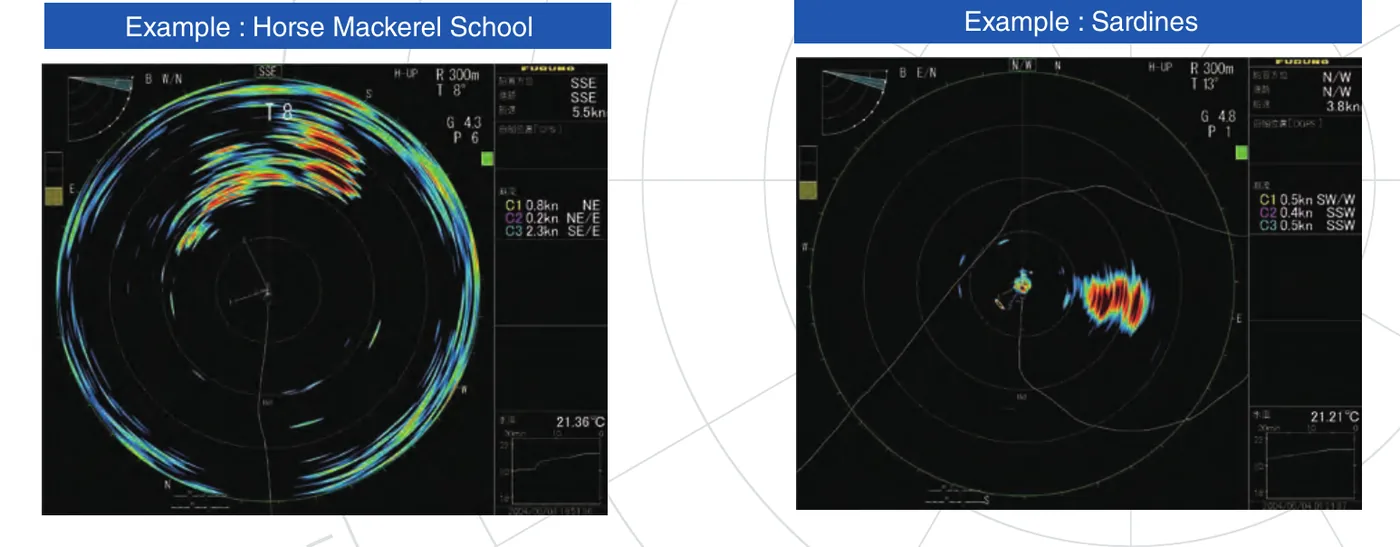
16 colors
32 colors
A large single fish usually shows as a small, hot mark that holds its color as it moves. Bait reads as a wide, softer patch whose edges change ping to ping. The seabed is the ring that sits still relative to the chart, not to the boat.
Working the tilt
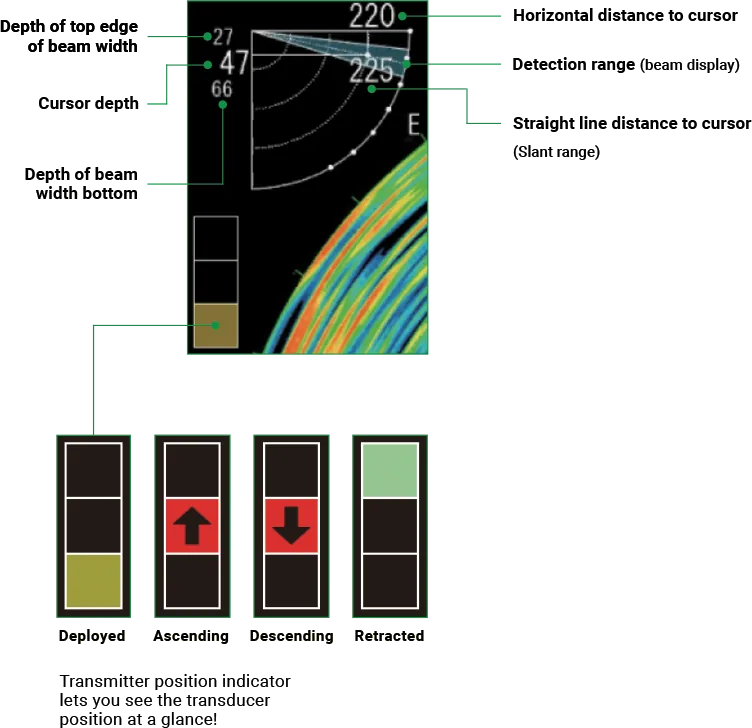
Tilt chooses the slice of water you're looking at. Lower tilt reaches farther and shallower; more tilt looks deeper and closer. A practical habit: when you find a mark, step the tilt up and down a few degrees. A real fish brightens and fades as the beam passes through its depth; surface clutter and wake don't behave that way. Try it on the home page display.
Gain and clutter
Turn gain up until the background shows a light speckle, then back it off a touch. The CSH-10 adds an interference rejecter, echo averaging, a noise limiter and Furuno's Auto Filter to clean up the picture; each trades a little sensitivity for a cleaner screen. Set them in calm water so you know what they're doing before you need them.
Target lock and marks
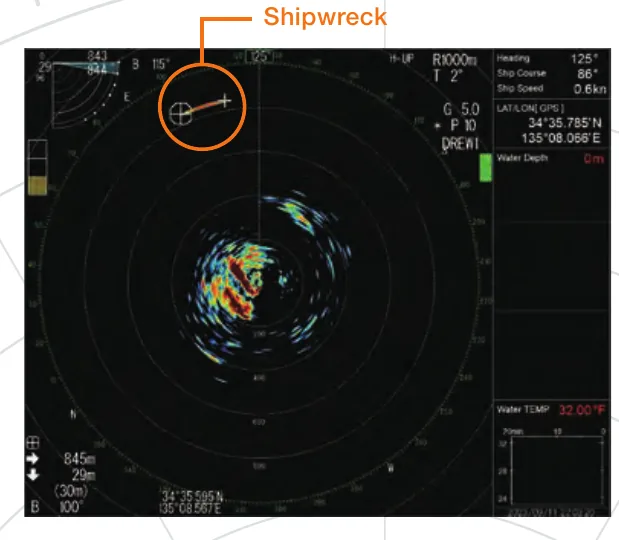
On the CSH-10, target lock has two modes. Fish mode follows a moving school and shows its distance, depth, speed and direction. Target mark mode holds a fixed spot such as a reef or wreck. Both need heading, speed and course data from your sensors.
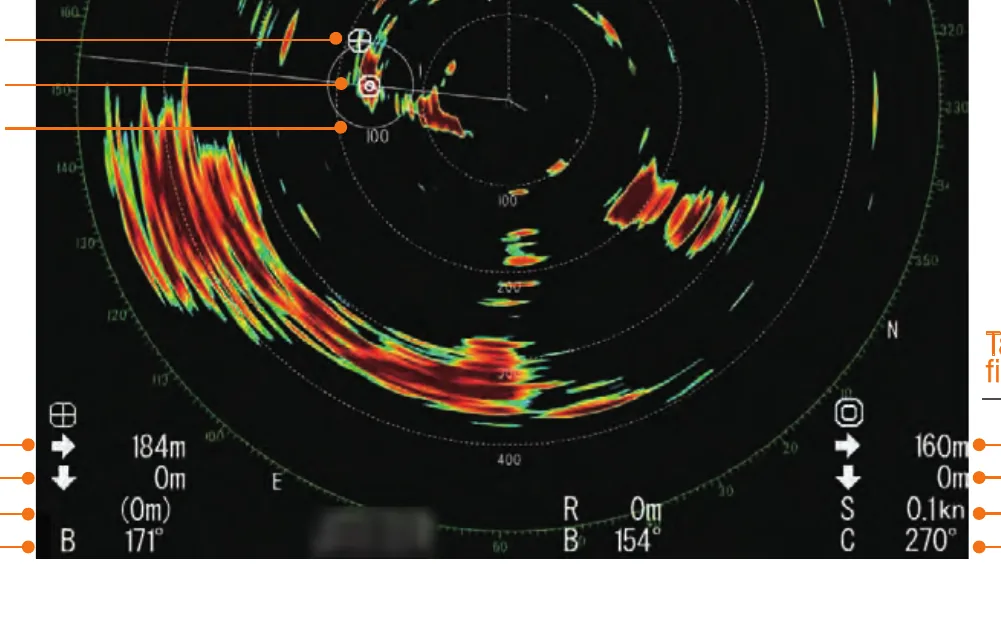
The fish estimate mark measures a school's length, width and area and gives an index you can compare between two schools, which helps when you're deciding which one to work. Event marks drop a reference you can come back to.
Many crews call targets out by count, "one mark", "two marks", so the cockpit knows what's coming before it reaches the spread.
Search speed
Matt Wood of Furuno, speaking to Yachting magazine about the CSH-8L, suggested running 10 to 15 knots while searching an area, and dropping to 2 to 8 knots once gear is out. The CSH-10 tolerates up to 20 knots with the transducer down, but slower speed means less flow noise and a cleaner picture.
The official CSH-10 operator course
Furuno's 8-part Operator Orientation series covers setup through chasing real targets. Watch it in order.
CSH10 Operator Orientation, all 8 parts
Furuno's full playlist, from initial settings to chasing actual targets.